
10 Tips for Choosing Cash Handling Equipment

Cash is still part of everyday commerce, even as card and mobile payments expand. The Federal Reserve’s 2024 Diary of Consumer Payment Choice found that cash accounted for 16% of U.S. consumer payments in 2023. That figure does not mean every business needs the same machines. It does show why reliable cash operations still matter.

Choosing Cash Handing Equipment is a practical decision, not just a purchasing task. A cashier counting notes beside a busy queue needs different support from a back-office team preparing deposits. The right mix may include cash drawers, counters, validators, or smart safes. It depends on transaction volume, staff routines, available counter space, and how often cash is collected. Small details matter. A machine that slows down change-making or is awkward to clean can create friction every shift.

These 10 tips will help businesses compare equipment with real workflows in mind. They cover accuracy, capacity, security features, integration, maintenance, and total cost of ownership. Independent testing, clear warranty terms, and accessible service support deserve close attention. A supplier’s demonstration is useful, but it cannot replace testing the equipment with your own notes and daily processes. Be candid about the gaps. Sales forecasts change, staff need training, and no device removes the need for sensible cash controls. A careful choice should make handling more consistent—not promise perfection.
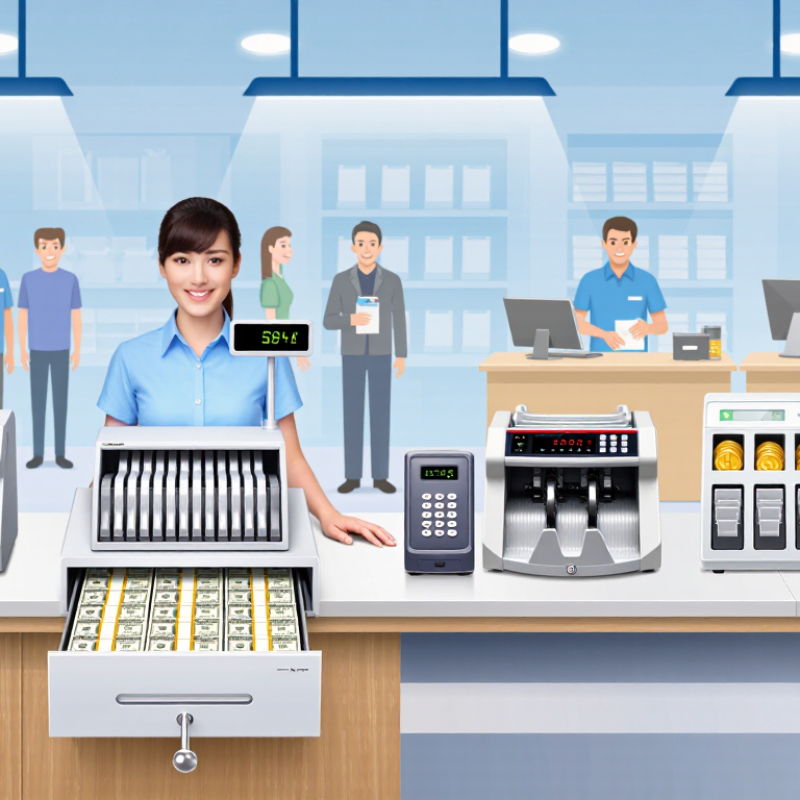
10 Tips for Choosing Cash Handling Equipment

Define Cash-Handling Needs, Workflows, and Transaction Volume

Cash-handling needs begin with the actual work, not a product checklist. The Federal Reserve’s 2024 Diary of Consumer Payment Choice reported that cash made up 16% of U.S. consumer payments in 2023. That national figure is useful context, but it cannot predict activity at your counter. A clinic, small grocer, and seasonal market may have very different cash patterns. Track cash received, change given, refunds, and drawer counts before choosing equipment.

Tip: Map a typical week, including the busiest shifts. Record transactions in 15-minute intervals rather than relying on daily averages. A Saturday rush can overwhelm a quiet Tuesday. Note who handles each handoff, where cash waits, and how often staff leave a station to get change. The workflow may reveal a bottleneck you had not noticed.

Tip: Match equipment capacity to observed peak volume, then leave room for variation. Decide whether staff mainly need faster counting, coin sorting, secure storage, or smoother reconciliation. Compare these tasks with the equipment’s stated processing capacity and your own shift data. Forecasts are rarely tidy; a promotion or local event can change the pattern. That uncertainty deserves a little space in the plan.

Compare Equipment Types and Essential Functions

Cash-handling equipment should fit your daily cash volume, note mix, and counter space. A bill counter speeds up bulk counting, while a note verifier checks for inconsistent security features. A coin sorter separates denominations; a coin counter gives a quick total. These tools solve different problems. Buying one device to cover every task may leave gaps.

Tips: Tip 1: Estimate peak-hour volume, not just daily average. Tip 2: Match counters to the denominations you handle. Tip 3: Check whether a verifier supports the currencies you accept. Tip 4: Compare mixed-note counting with single-denomination counting. Tip 5: Look for clear error alerts and simple controls. Tip 6: Check hopper capacity against typical batches. Tip 7: Consider noise and available counter space. Tip 8: Ask how often cleaning and calibration are needed.

Tip 9: Test equipment with your own worn notes and coins before choosing. Tip 10: Compare receipt, reporting, and connection functions with your existing workflow. A compact counter can save space, but a small hopper may require repeated loading. Faster is not always better. Staff still need time to verify totals and resolve rejected items. It is easy to overlook routine maintenance during a product demonstration, so ask who performs it and what downtime to expect. A short trial can reveal awkward buttons, unclear displays, or counting errors that specifications do not show.

Assess Accuracy, Security, and Regulatory Requirements

Accuracy starts with the cash you actually process. The Federal Reserve’s 2024 Diary of Consumer Payment Choice reports that cash made up 16% of U.S. consumer payments in 2023. Your store’s mix may differ. Test counters with crisp bills, worn notes, and mixed denominations during a normal shift. Check count variance, reject rates, and how easily staff can clear jams. A fast machine is not accurate by default. Keep a simple daily record of opening cash, counted totals, and corrections; it can reveal recurring discrepancies.

Security needs practical safeguards, not just impressive specifications. The National Retail Federation’s 2023 National Retail Security Survey estimated average retail shrink at 1.6% of sales in fiscal 2022, or $112.1 billion across surveyed retailers. Shrink includes more than cash losses, so treat this as context, not a forecast for your business. Consider restricted user access, visible transaction logs, and secure drop procedures. Regulatory requirements vary by location and business type. Confirm applicable rules for record retention, counterfeit detection, and equipment certification before buying. Ask vendors for test documentation and service terms. Then involve the employees who will use the equipment; their feedback may expose awkward steps that a showroom demo misses. I would not assume one audit trail fits every location.

10 Tips for Choosing Cash Handling Equipment — Assess Accuracy, Security, and Regulatory Requirements
# Assessment Area What to Check Why It Matters
1 Counting accuracy Test the equipment with representative notes and coins, including different denominations and conditions commonly encountered in your operation. Confirm that totals and denomination counts are easy to review. Reliable counts help reduce reconciliation errors and the time spent investigating discrepancies.
2 Counterfeit detection Check which detection methods are supported, such as ultraviolet, magnetic, infrared, or image-based checks. Confirm compatibility with the currencies you accept and follow local guidance for suspected counterfeit notes. Detection features vary by device and currency; no single feature should be assumed to identify every counterfeit note.
3 Currency and denomination support Verify supported currencies, denominations, note sizes, and coin types. Ask how software updates are delivered when currency designs or supported features change. A device that does not support the cash you handle can produce errors or require manual workarounds.
4 Processing capacity Estimate your typical and peak transaction volumes, then compare them with the equipment’s documented processing rate and capacity. Test performance with the mix of cash used in practice. Matching capacity to demand can reduce queues, bottlenecks, and staff time spent processing cash.
5 Security and access controls Review user permissions, access logs, lockable storage, tamper alerts, and controls for opening or emptying the unit. Limit access according to your cash-handling procedures. Appropriate controls can help deter unauthorized access and support accountability.
6 Audit trail and reporting Confirm that the equipment records relevant transaction details, such as time, user, and count totals, and can export reports in a format your accounting or reconciliation process can use. Clear records make it easier to reconcile cash movements and investigate discrepancies.
7 Integration and data security Check compatibility with your point-of-sale or cash-management workflow. For connected devices, review access permissions, software updates, network requirements, and how stored or transmitted data is protected. Integration can reduce duplicate entry, while sensible security controls help protect operational data.
8 Regulatory requirements Identify the rules that apply in your location and industry, including cash-recordkeeping, workplace safety, accessibility, and any requirements for handling suspected counterfeit currency. Ask a qualified local adviser when obligations are unclear. Requirements vary by jurisdiction and use case; equipment alone does not guarantee legal compliance.
9 Reliability and maintenance Review the maintenance schedule, cleaning requirements, consumables, warranty terms, service availability, and expected downtime. Confirm that staff can recognize and clear common jams or errors safely. Planned maintenance and accessible support help keep equipment available during busy periods.
10 Total cost and staff usability Compare purchase or lease costs with installation, training, maintenance, supplies, and support. Have the employees who will use the equipment perform common tasks before making a decision. A practical evaluation considers the full operating cost and whether the equipment fits everyday workflows.

Check Capacity, Ease of Use, and System Compatibility

Estimate capacity from a busy shift, not an average day. Count the notes and coins handled during peak periods, then allow room for sudden rushes. A machine that fills its cash box by noon can slow the whole counter. Check whether it separates denominations, flags suspect notes, and stores rejected items securely. Small details matter.

Ease of use shows up during the busiest minutes. Can staff load cash without awkward angles or repeated adjustments? Are buttons readable under bright counter lights? Clear error messages help a new employee recover without calling a supervisor. Try common tasks, such as emptying a cassette or clearing a jam, before deciding. Training takes time. It is easy to underestimate.

Compatibility deserves a practical test, not just a checklist. Confirm that the equipment can exchange the needed transaction data with your existing point-of-sale or accounting system. Ask which connection methods and file formats are supported, and whether updates could interrupt reporting. Run a sample shift using your usual workflow. Watch for duplicate entries, missing totals, or delays between the machine and the register. I would still leave time for setup surprises; specifications rarely show every small friction point.

Compare Total Costs, Support, and Maintenance Needs

A low purchase price can hide expensive downtime, service visits, and replacement parts. Compare the full cost over several years, including installation, training, software fees, and consumables. The Federal Reserve’s 2023 Diary of Consumer Payment Choice found that cash made up 16% of U.S. consumer payments. That share makes cash workflows worth planning for, even when sales volume varies by season. A busy checkout needs different capacity from a small back office.

Tip: Request a written total-cost estimate. Ask what routine maintenance includes, how quickly technicians respond, and whether travel or parts cost extra. Compare warranty terms and service hours, not just coverage length. For example, a machine that jams during a Friday rush may cost more in staff time than its repair bill suggests. Small delays add up.

Tip: Check maintenance needs before buying. Ask how often sensors, belts, and feed paths need cleaning or adjustment, and whether staff can handle basic tasks safely. The Federal Reserve report describes ongoing cash use, but it cannot predict your site’s repair frequency. Your own transaction logs matter more. I would still budget for an occasional service call; equipment estimates can look reassuringly neat. A short trial in your actual workspace can reveal noise, queue delays, and awkward refill steps.

Let's Build Together

Contact Us: Call 435-563-3503

-OR-  Fill in the form below and we will call you back.

Copyright © 2025CNC Fabrication. All Rights Reserved.